If you have ever tried to find someone online from a photo, you have probably started with Google Images, Google Lens, or TinEye. Those tools are great at what they were built for, finding the same image or visually similar images.
The problem is that many people expect “reverse image search” to work like “face recognition.” They are not the same thing, and the difference matters a lot when the photo is of a person.
This post explains why image search tools often fail at finding the same person across different photos, and why a face search tool like FaceFinderAI is designed specifically for identity matching.
Two tools, two different goals
Image search tools focus on the picture
Traditional reverse image search tools are designed to answer questions like whether an exact image is posted somewhere else, whether it has been resized or cropped, or whether there are other images that look visually similar.
That is why TinEye and Google Images can be excellent for tracking where a meme originated, finding stolen product photos, or locating duplicates of a screenshot.
But when the subject is a person, the same person can appear in photos that look totally different. Different angle and pose, different lighting, different hair or makeup, and different camera quality can make the image look unrelated. In those cases, the overall image similarity may be low even though the person is the same.
Face search tools focus on the face
FaceFinderAI is built for face recognition, not general image matching. You upload a face photo, and it searches for the same person across different images online, even when the photos vary in angle, lighting, or time.
Instead of asking “does this image match,” the system is designed to ask “is this the same person.”
What FaceFinderAI is designed to do
FaceFinderAI is useful when you care about identity, not just whether an image is duplicated. It is commonly used for OSINT research, impersonation and fake profile detection, brand and executive impersonation checks, and personal privacy checks to see where your face appears online.
Results include source URLs, so you can investigate where a match came from and confirm context.
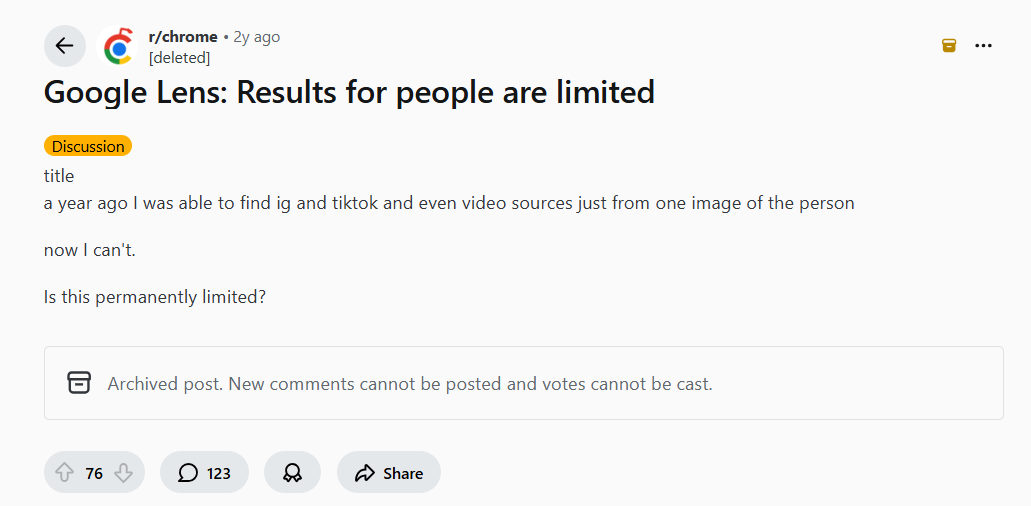
Why Google Lens results for people can feel limited
Many users notice that Google Lens does not reliably return “people matches,” especially compared to how it behaved in the past. This is one reason the difference between image search and face search is important.
Key Takeaways
Face search tools that use facial recognition
Face search tools use facial recognition and AI to match the same person across different photos. They are focused on identity rather than overall image similarity.
Reverse image search tools
Reverse image search tools are designed to find matching or visually similar images. They work best when the same image is reposted widely or only lightly modified.
When to use which
Use an image search tool when your goal is to locate the same image online.
If you are watching a movie clip or a video and you want to figure out who a person is, a face search tool like FaceFinderAI is usually a better starting point.
Use FaceFinderAI when your goal is to find more photos of the same person across the internet, including different websites, forums, social platforms, and other public pages, and then use the source URLs to help you identify who they are (if that information is publicly available in context).